
AI Accounts Payable Assistant
An AI-powered digital worker that automates end-to-end supplier invoice and accounts payable processes for SMEs.
Why SMEs Need an AI AP Assistant
Fragmented digital foundations
Most SMEs run on basic accounting tools, while enterprise-grade ERPs are overbuilt for their scale.
Squeezed by rent and labor costs
Rent and labor costs keep climbing, while lean teams absorb growing manual workloads.
Heterogeneous documents, high exception rates
Invoices arrive in countless formats, pushing three-way match exception rates to 50–60%.
Rigid financial systems
Invoices are quick to enter but errors are slow to fix. Every correction costs your team time and money.
What is AI Accounts Payable Assistant?
AI Accounts Payable Assistant by Laiye Worker is an AI-powered digital worker that automates end-to-end supplier invoice and accounts payable processes for SMEs. Through its conversational interface, users can instruct and supervise the Worker, which understands invoices and supporting documents, validates and matches transactions, identifies exceptions, routes approvals, and executes data entry and reconciliation across accounting and business applications. It integrates with Xero, QuickBooks, and AutoCount, while supporting desktop and web applications. Human-in-the-loop validation and continuous learning improve processing accuracy over time, reducing repetitive manual work while maintaining audit trails and control.
Core Features
Automatically reads and extracts data from invoices in PDFs, scanned images, and email attachments, without predefined templates.
Laiye Worker executes AP tasks from invoice validation and matching through data entry and approval across accounting and business applications.
Matches invoices against purchase orders and delivery order, and flags discrepancies for review.
Automatically routes invoices for approval based on business rules and approval thresholds.
Users can instruct, review and supervise Laiye Worker through its natural-language ChatUI, with human intervention for exceptions.
From Download to AP Assistant — in 4 steps
Set up AI Accounts Payable Assistant: install Laiye Worker, add your AI AP Assistant that is already built in. Then try it end to end with the sample pages.
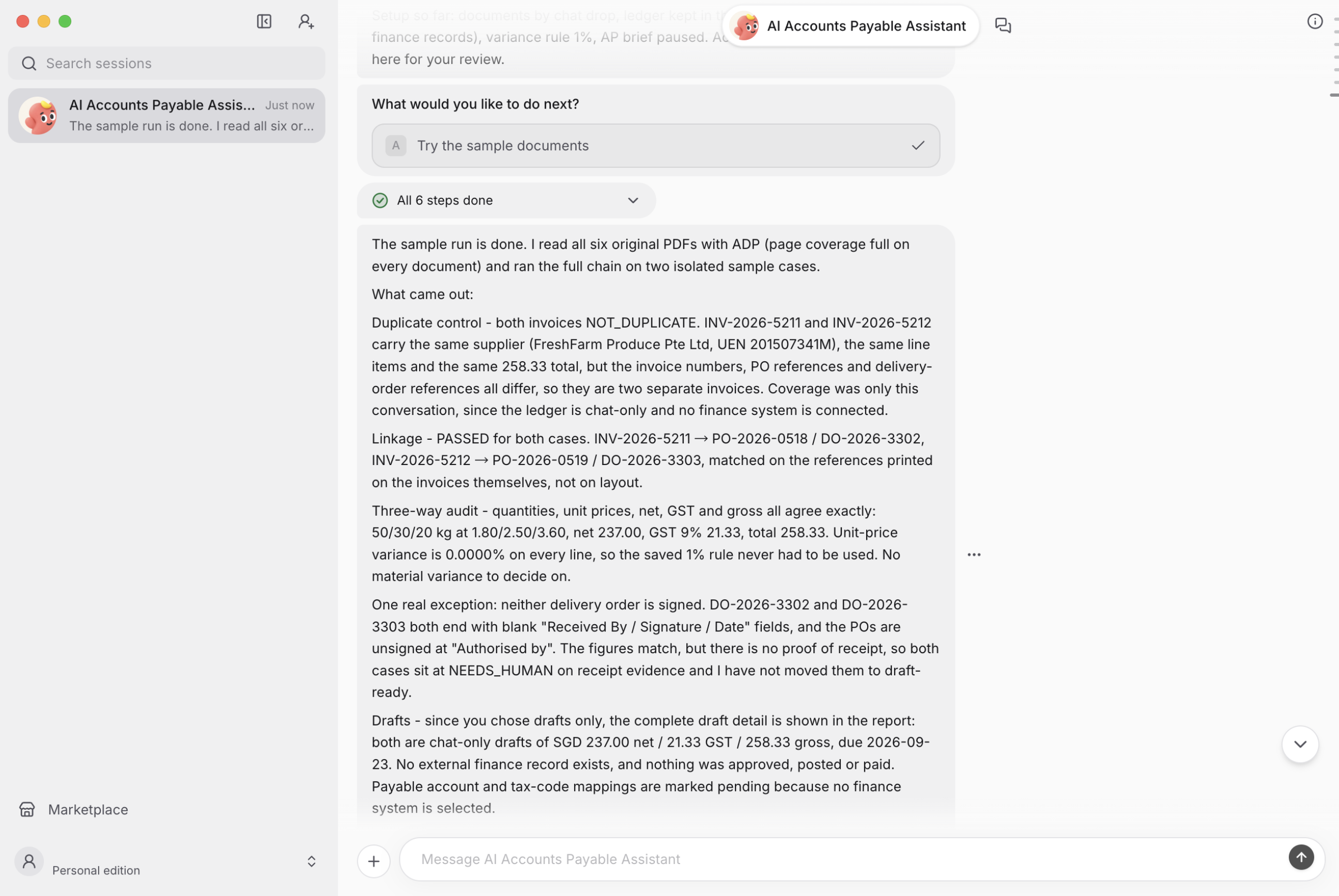
Forward an invoice from your Gmail — the AI AP Assistant reads it, runs a three-way match against the purchase orders and goods receipts, flags anything unusual, and creates the bill in software such as Xero for approval. The full setup is just 4 steps, detailed below.
Follow these steps to get the AI AP Assistant running with Laiye Worker
Download on desktop and sign in — supports macOS 12+ or Windows 10+.
Download for macOS →Download for Windows →Laiye Worker installation guide →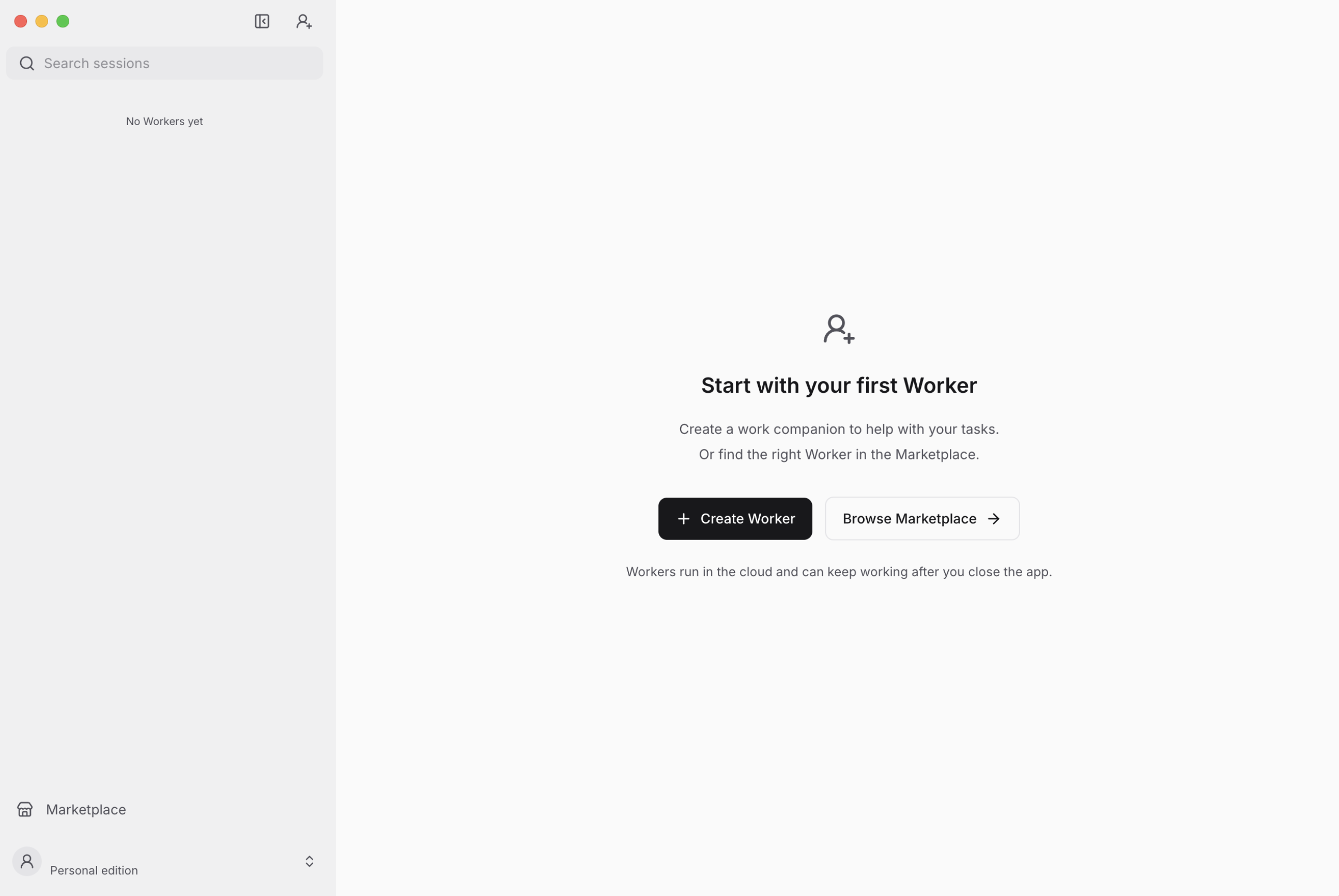
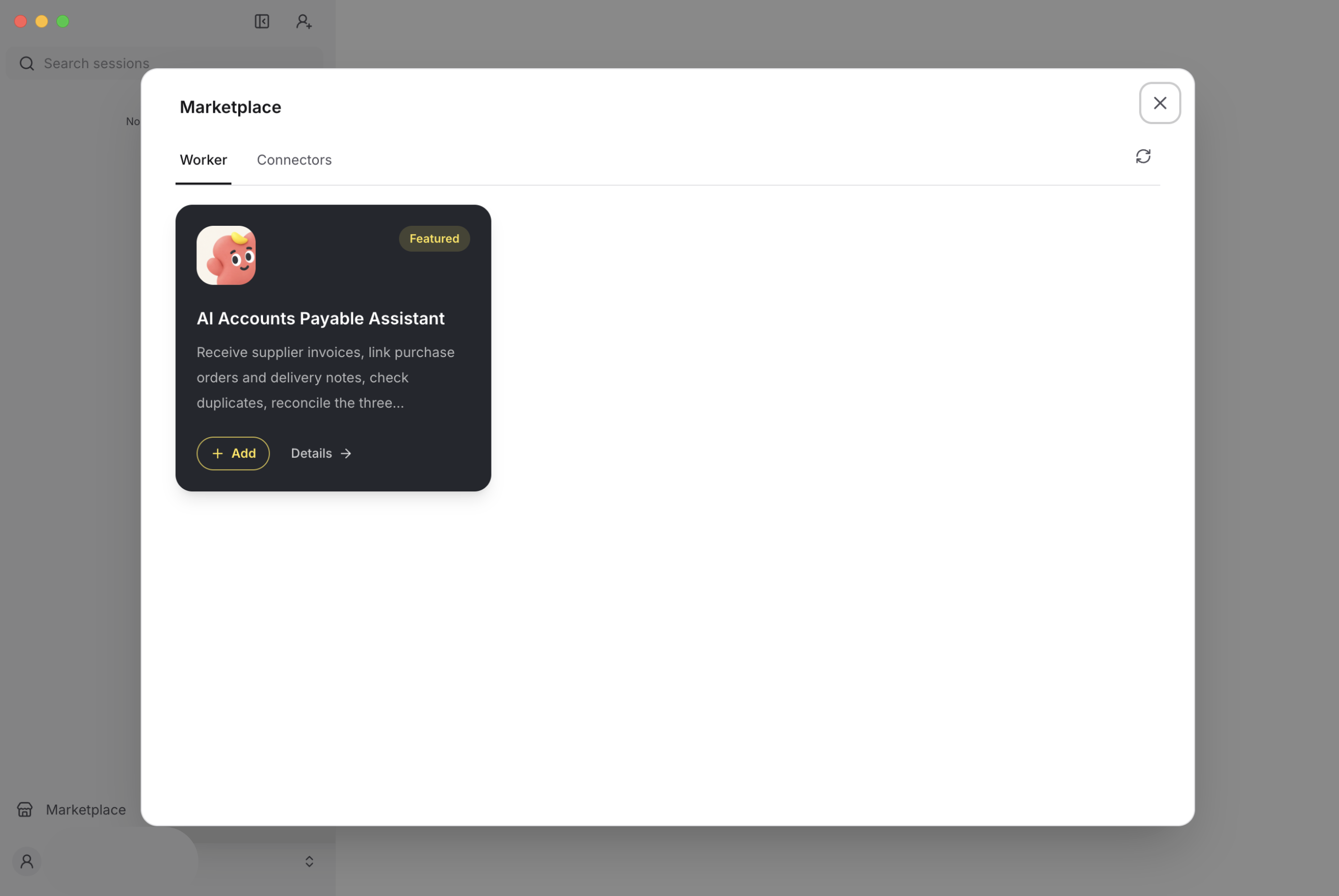
Add the AI Accounts Payable Assistant from Marketplace
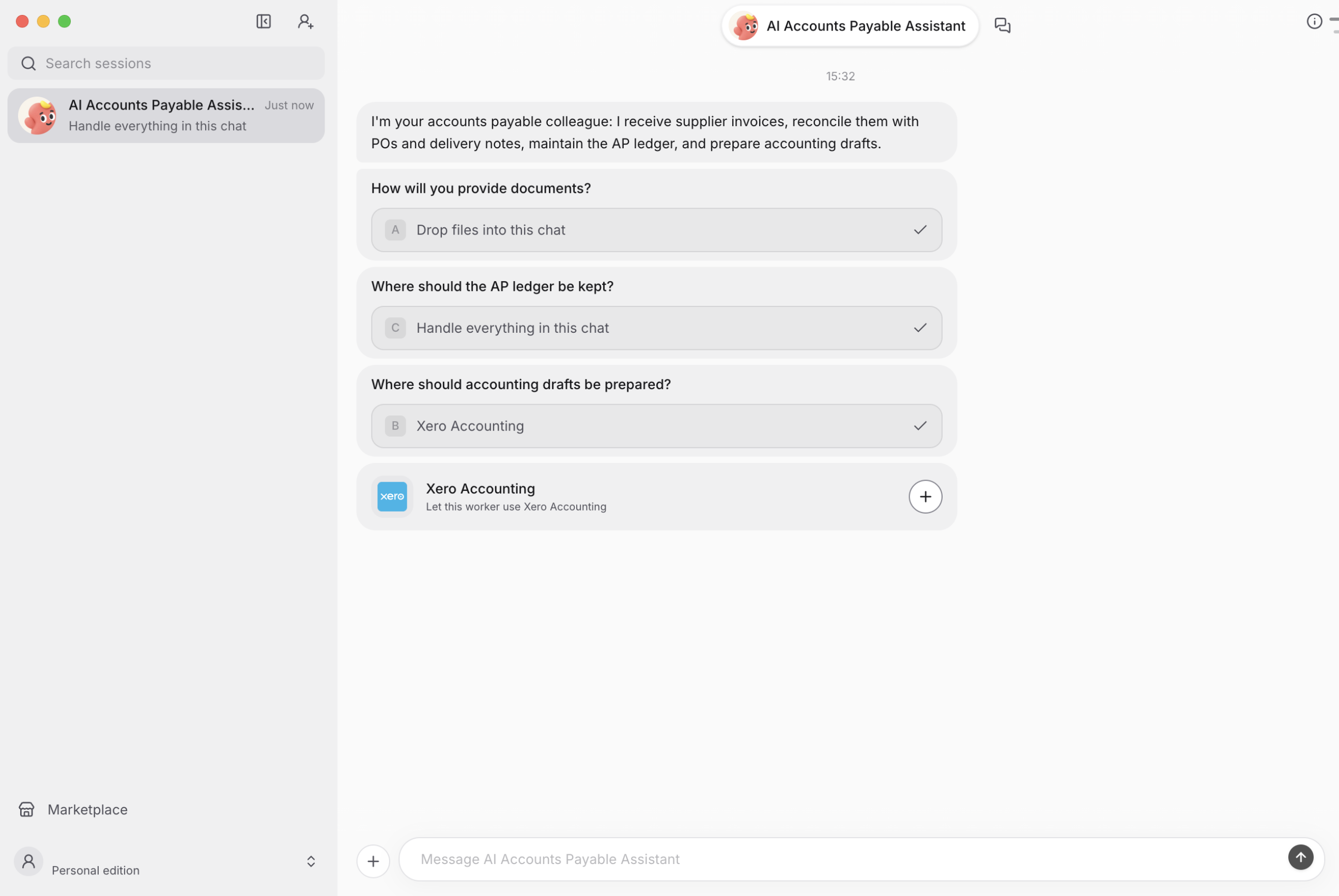
Follow instructions to set up and authenticate through secure OAuth flows for Google, Xero, or QuickBooks.
Chat with the AI Accounts Payable Assistant in Laiye Worker — it runs the full three-way match workflow and creates the bill in accounting software such as Xero.
Download Laiye Worker
Download on desktop — supports macOS 12+ or Windows 10+.